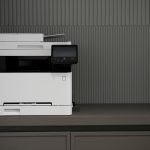
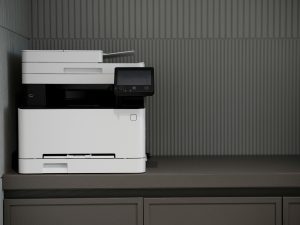
Bare Bones, Budget Friendly Black and White Printing for Small Business: A Look at the HP LaserJet Pro MFP 3101fdw and HP LaserJet MFP M234dw
When you run a small business, every dollar matters. That includes the dollars spent on printers, toner, and ongoing maintenance. The good news is that HP continues to deliver highly economical, no nonsense black and white printers that keep operating costs low without sacrificing professional grade output.
Today, we compare two excellent “bare bones” options for small offices:
- HP LaserJet Pro MFP 3101fdw (more features, still economical)
- HP LaserJet MFP M234dw (ultra budget minimalist model)
Both are compact, efficient, and purpose built for environments where color printing is unnecessary and reliability matters more than extra bells and whistles.
Why Black and White Printers Still Make Sense for Small Business
Black and white laser printers remain a smart pick for small companies that:
- Print invoices, packing slips, contracts, and internal documents
- Need inexpensive toner and predictable long term costs
- Prefer long lasting hardware with minimal mechanical complexity
- Do not require color output or advanced finishing features
With fewer moving parts than many color printers, monochrome units tend to last longer and require less upkeep which is exactly what a small business budget needs.
Head to Head Comparison: HP LaserJet Pro MFP 3101fdw vs. HP LaserJet MFP M234dw
Below is the full comparison table with the requested changes: no em dashes, wording preserved, the note that the M234dw does not have an ADF, and the added detail that it also does not have an Ethernet port.
Comparison Table
| Feature | HP LaserJet Pro MFP 3101fdw | HP LaserJet MFP M234dw |
|---|---|---|
| Typical Retail Price Range | Approximately 299 to 379 dollars depending on retailer | Approximately 239 to 240 dollars depending on retailer |
| Print Speed | Up to 35 pages per minute black | Up to 30 pages per minute black |
| Duplex Printing | Automatic ✔ | Automatic ✔ |
| Scanning Type | Flatbed plus 50 sheet ADF which allows multi page scanning ✔ | Flatbed only ✘ and no ADF which means it cannot scan multi page documents automatically and also no Ethernet port |
| Functions | Print, scan, copy, fax | Print, scan, copy |
| Wireless Features | Wi Fi, Ethernet, mobile printing, HP Smart App | Dual band Wi Fi, Bluetooth LE, HP Smart App and no Ethernet port |
| Ideal User | Teams up to 7 users that need multi page scanning | Small teams of 1 to 5 people with light scanning needs and no requirement for Ethernet connectivity |
Toner Cost Overview
For HP LaserJet Pro MFP 3101fdw
Uses HP 138A or HP 138X:
- HP 138A Black Standard Yield
Approximately 1,500 pages • MSRP 78.99 - HP 138X Black High Yield
Approximately 4,000 pages • MSRP 149.99
For HP LaserJet MFP M234dw
Uses HP 134A or HP 134X:
- HP 134A Black Standard Yield
Approximately 1,100 pages - HP 134X Black High Yield
Approximately 2,400 pages
Which One Should Your Small Business Choose
Choose the HP LaserJet Pro MFP 3101fdw if:
- You regularly scan multi page documents
- You have a small team up to seven people
- You want faster printing and more workflow features
- You need fax and a document feeder
This model offers excellent value while remaining economical.
Choose the HP LaserJet MFP M234dw if:
- You need the absolute lowest cost black and white multifunction printer
- You do not need to scan multi page documents automatically
- You do not need Ethernet connectivity
- Your team is small and your print volume is moderate
This is the bare bones champion. Simple. Affordable. Reliable. Perfect for businesses that want the lowest possible operating cost without unnecessary features.
Final Thoughts
For small businesses that want the most economical and straightforward printing possible, both the 3101fdw and M234dw shine. Your choice ultimately comes down to two key questions:
- Do you need an Automatic Document Feeder
- Do you need an Ethernet port
If the answer to either is yes, choose the HP LaserJet Pro MFP 3101fdw.
If both answers are no, the HP LaserJet MFP M234dw gives you rock bottom cost without compromising print quality.