
The Gaming PC for Teens That Grows Up With Your Kid (Without Taking Over Your Living Room)
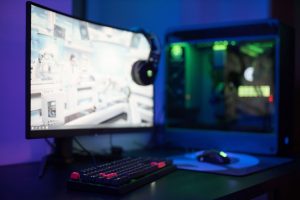
If your teen or tween has moved from "can I play Fortnite" to "can I get a gaming PC," you already know the fear that comes next. You don't want to spend a fortune on something they'll outgrow in a year. You don't want to hear "it's laggy" every time they turn it on. And you definitely don't want to become the family tech support department the day the warranty runs out.
Here's the good news: you don't have to be a gamer, or even particularly techy, to make a smart choice here. You just need to know what to look for. So let's walk through one machine that checks the boxes caregivers actually care about, the Alienware Aurora Gaming Desktop (model ACT1250), and why it's built to last longer than a single school year.
Why a name you already trust matters here
Alienware is Dell's gaming brand, so you're not buying from some no-name company that vanishes if something goes wrong. That matters more than it sounds like it should. This desktop comes with 1 year of on-site service from Dell, meaning if something breaks that can't be fixed remotely, Dell sends someone to you instead of making you ship a several-thousand-dollar computer across the country and wait weeks for it to come back.
When that first year is up, you can extend the warranty directly through Dell's website. No third-party warranty company to track down, no separate account to manage. The same company that built it stands behind it for as long as you want to keep paying for coverage. For a purchase this size, that peace of mind is worth something on its own.
It starts with Fortnite. It doesn't stay there.
Here's the thing about kids and gaming: what they're playing at 12 is not what they'll be playing at 15. Fortnite and Minecraft are relatively easy on a computer. But give it two or three years and your kid will likely be asking about the newest release everyone's talking about, the one with the realistic graphics and the big open world. That's where a lot of budget "starter" computers fall apart. They handle the easy games fine, and then they choke the moment your kid tries to run something more demanding, and suddenly you're shopping for a new computer again.
This particular Aurora configuration is built with real headroom. It pairs an Intel Core Ultra 7 processor with an NVIDIA GeForce RTX 5070 graphics card and 32GB of memory. In plain terms: the graphics card is the part that does the heavy lifting for how a game looks and how smoothly it runs, and this one is genuinely capable of handling current games at high detail settings, including 4K resolution in many titles, not just today's easy ones. The 32GB of memory means it won't slow down when your kid has the game open, Discord running to talk to friends, and a YouTube video playing in the background, which, let's be honest, is exactly how they use it. There's also a 1TB solid-state drive for storage, which is fast enough that games load in seconds instead of the long staring-at-a-loading-screen wait older computers are known for.
Put simply: this isn't a computer that will have your kid complaining about lag next year. It's built to comfortably handle the jump from casual games to serious, graphics-heavy ones.
Yes, it can be upgraded later
One of the best things about a desktop like this, compared to a laptop or an all-in-one, is that it can be opened up and upgraded down the road instead of being replaced outright. The memory can be upgraded, and there's room to add or swap out storage if your kid ends up with a game library bigger than 1TB (game files have gotten enormous). So if this machine ever starts to feel behind in three or four years, in many cases you're looking at a $100 to $200 upgrade instead of buying an entirely new computer.
One honest caveat: Dell builds this machine around its own internal design rather than fully standard, off-the-shelf parts, so it's not quite as endlessly customizable as a computer a hobbyist builds from scratch. But for what most families need, being able to add memory or storage instead of buying a whole new tower, it covers what actually matters.
About the size (let's prepare you now)
Here's the part that catches almost every caretaker off guard the first time the box arrives: this thing is big. We're talking about a tower that's roughly 18 inches tall, 7.75 inches wide, and 16.5 inches deep, and it weighs close to 34 pounds. That's not a typo, and it's not a mistake on Dell's part either. There's a reason for it.
Think about it this way: a laptop or an all-in-one computer packs everything into a thin case, so the parts inside sit close together with almost no room to breathe. That works fine for browsing the internet and writing school papers, but powerful graphics cards and processors generate real heat when they're working hard, like during an intense gaming session. A desktop tower like this one is built bigger on purpose, so there's enough open space inside for air to move freely around the components and keep them cool. Cooler parts run faster and last longer without slowing down mid-game, which is exactly the "no lag" experience you're hoping for. The size also leaves room for a full-size graphics card and a proper power supply, both of which are simply too big to fit into a slim laptop case.
So when the box shows up and it's noticeably bigger than the desktop you're picturing in your head, that's not overkill. That's what a real gaming machine looks like. Just plan for it: give it a spot with a few inches of open space on the sides and back so it can breathe, ideally somewhere with decent airflow rather than jammed into a closed cabinet.
The bottom line
This is a computer bought once that's meant to last, backed by a company you already know, serviced at your house if something goes wrong, and roomy enough inside to be upgraded instead of replaced. That's exactly the kind of value a lot of parents are looking for: not the cheapest option on the shelf, not the most expensive either, but the one that won't have you back at square one in twelve months.
Check out the Alienware Aurora Gaming Desktop here →
A few accessories worth adding to the cart
A gaming PC by itself is just the tower. Here are a few things worth pairing with it:
- A matching monitor — Something like the Dell 27" QHD Gaming Monitor (S2725DSM series) or, for a bigger step up, a Samsung 34' Odyssey G5 Ultra-Wide Gaming Monitor with 1000R Curved Screen. A high-resolution, high-refresh-rate screen is what actually lets a graphics card like this one show off, so don't pair a great PC with an old, small monitor.
- A wireless gaming headset — Something in the Razer BlackShark or similar line. Good for game audio, but also for hearing (and being heard by) friends while playing multiplayer games.
- A surge protector or battery backup (UPS) — An APC or CyberPower battery backup unit will handle surge + keep the monitor and computer on during a brief power outage. This gives your gamer a chance to save the game. You can also forgo the battery backup option for a much lower price point with a simple surge protector. We like the Belkin brand. This is genuinely important for a machine at this price point; one bad power surge during a storm can be a very expensive mistake.
- An Ethernet cable — This computer already has fast built-in networking, but a wired connection from the router to the PC will always be more reliable than Wi-Fi for online, multiplayer gaming. Pick the length you need and worth it if the setup allows for running a cable.
- A DisplayPort-to-HDMI adapter — Handy to have on hand in case the monitor you pick doesn't match the ports on the PC. This StarTech is perfect for high-quality displays.
None of these are required to get started, but they round out the setup nicely, especially the monitor, which matters just as much as the computer itself for how good everything looks and feels.